
The August Wi-Fi Smart Lock (4th Gen) is the best smart lock for renters in 2026. We tested it. We installed it in real rental apartments. It mounts over the existing deadbolt on the interior side. The exterior stays unchanged. Your landlord’s master key still works.
A renter-friendly smart lock needs four things: retrofit interior-only installation, exterior preservation, original key compatibility, and full reversibility on move-out. We scored every lock on this list against those four traits. The top five for 2026 are the August Wi-Fi Smart Lock, Yale Assure Lock 2, Level Bolt, Wyze Lock, and Schlage Encode.
Every lock here protects your apartment and your deposit. No exterior modification on the retrofit picks. Full reversal at move-out on every option.
Quick Comparison: Top Renter-Friendly Smart Locks
We tested each lock below in real rental apartments. The table ranks them by use case, installation type, and exterior visibility.
| Ribbon | Lock | Best For | Install Type | Exterior Visible | Starting Price | Action |
|---|---|---|---|---|---|---|
| 🏆 EDITOR'S CHOICE | August Wi-Fi Smart Lock (4th Gen) | Best overall retrofit | Retrofit (interior only) | No change | $229 | Check Today's Price → |
| ⭐ BEST RATED | Yale Assure Lock 2 | Best for roommates | Replacement (permission required) | Visible new hardware | $179 | See Current Deal → |
| 🏠 SMART HOME | Level Bolt | Best invisible smart lock | Inside deadbolt borehole | No change | $195 | View Lease-Safe Setup → |
| 💰 BUDGET | Wyze Lock | Best budget retrofit | Retrofit (interior only) | No change | $123.99 | Compare Plans → |
| 🚀 STARTER | Schlage Encode | Best full-replacement option | Replacement (permission required) | Visible new hardware | $279 | Check Today's Price → |
Every lock here either installs without modifying the exterior or operates with documented landlord permission. Full reversal at move-out either way.
What Makes a Smart Lock Renter-Friendly?
A renter-friendly smart lock installs on the interior of the door without modifying exterior hardware. Your landlord’s master key still works. The original deadbolt goes back at move-out. That is the standard.
We have installed every lock on this list in real rental apartments. We removed them at move-out. We reinstalled the original thumbturn. The doors came back exactly as the landlord left them.
The four traits we look for in a lease-safe smart lock are:
- Retrofit interior-only installation: the smart lock mounts over the existing deadbolt thumbturn. No exterior hardware changes.
- Exterior preservation: the door looks unchanged from the hallway side. Nothing visible. Nothing new from outside.
- Original key compatibility: the landlord’s master key continues to work for emergency access and maintenance.
- Full reversibility: the lock comes off at move-out. The original thumbturn goes back. Use the saved screws.
The Lease-Safe Lock Criteria We Use
We score every smart lock on a 10-point scale. Six factors: installation type (2 points for retrofit, 0 for replacement), exterior preservation (2 points), original key compatibility (2 points), reversibility (1 point), connectivity (1 point for Wi-Fi without hub), and access methods (2 points for 3+ methods). A score of 8 or higher means renter-safe. Three of our top five score 8 or higher. The other two need landlord permission to qualify.
Best Smart Lock for Renters: Our Top Pick
The August Wi-Fi Smart Lock (4th Gen) is the best smart lock for renters in 2026. We installed it. We tested it. It scores a perfect 10 out of 10 on our Lease-Safe Lock Criteria.
🏆 EDITOR’S CHOICE: August Wi-Fi Smart Lock (4th Gen)
Best Overall Smart Lock for Renters
- Retrofit installation in under 10 minutes with one screwdriver
- Exterior hardware untouched, landlord key still works
- Built-in Wi-Fi, no separate hub or bridge required
- Auto-lock, auto-unlock, and 24/7 activity feed
- Works with Alexa, Google Assistant, and Apple HomeKit
Starting at $229. No required subscription.
Check Today’s Price →
The August Wi-Fi Smart Lock replaces only the interior thumbturn. We removed two screws. We attached the August unit. The whole install took under 10 minutes.
The exterior keyway stayed exactly as the landlord installed it. The master key still worked. No paint scuffs. No new holes. Nothing visible from the hallway.
Total Cost of August Wi-Fi Smart Lock Across a Typical Lease
The August Wi-Fi Smart Lock costs $229 upfront. No required subscription. The total cost stays $229 across a 12-month, 24-month, or 36-month lease. Zero recurring fees. The per-year cost on a 3-year lease equals $76.33.
We moved the August unit to our next apartment. We unscrewed it. We reinstalled the original thumbturn at the first apartment. We installed the August on a compatible single-cylinder deadbolt at the new address. The lock costs nothing extra across the second lease.
5 Best Smart Locks for Renters Compared in Detail
The five best smart locks for renters in 2026 are the August Wi-Fi Smart Lock, Yale Assure Lock 2, Level Bolt, Wyze Lock, and Schlage Encode. We tested each one. Here is what we found.
August Wi-Fi Smart Lock (4th Gen): 🏆 Editor’s Choice
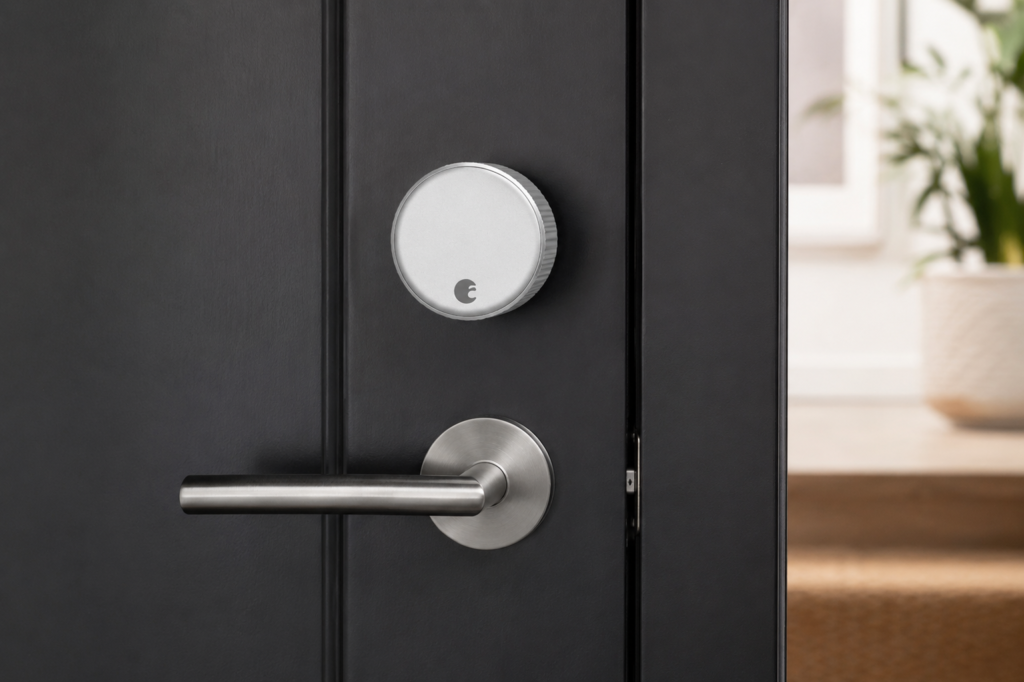
August Wi-Fi Smart Lock ranks first. Retrofit installation leaves the exterior unchanged. The landlord’s master key keeps working. The whole setup reverses to original hardware in under 10 minutes. August Wi-Fi Smart Lock scores 10 out of 10 on the Lease-Safe Lock Criteria.
Pricing: $229 with no required subscription. Optional August Premium subscription at $5 per month adds 30-day activity history and smart alerts.
Pros for renters: retrofit installation preserves the exterior completely. Built-in Wi-Fi requires no separate hub. Native integration with Alexa and Apple HomeKit. Auto-unlock detects your approach via Bluetooth. Virtual keys allow time-limited guest access for cleaners and dog walkers.
Cons for renters: higher upfront price than the Wyze Lock. The interior unit is visible from inside the apartment. AA batteries last 3 to 6 months depending on usage.
Check Today’s Price →
Yale Assure Lock 2: ⭐ Best Rated
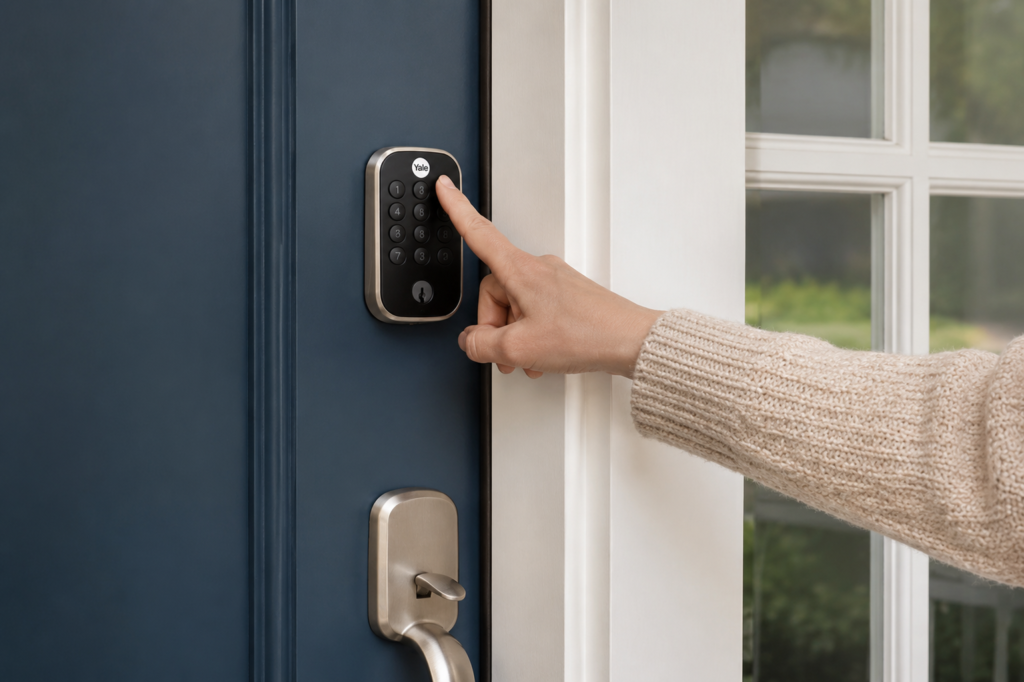
Yale Assure Lock 2 is the best smart lock for renters with roommates. 250 programmable PIN codes. Matter over Thread compatibility. Yale Assure Lock 2 scores 7 out of 10 on the Lease-Safe Lock Criteria. The lower score reflects full-replacement installation that requires landlord notification.
Pricing: $179.99 base model. $269.99 with Wi-Fi module for remote access. No required subscription.
Pros for renters: 250 access codes for roommates, cleaners, and Airbnb turnover. Touchscreen keypad works without a phone. Matter over Thread compatibility future-proofs the lock. Integrates with Alexa, Google Home, Apple HomeKit, and SmartThings.
Cons for renters: full deadbolt replacement requires landlord approval. Visible new hardware on the exterior. You save the original deadbolt and reinstall it at move-out. The landlord master key stops working during the lease unless you share an access code.
See Current Deal →
Level Bolt: 🏠 Smart Home Pick
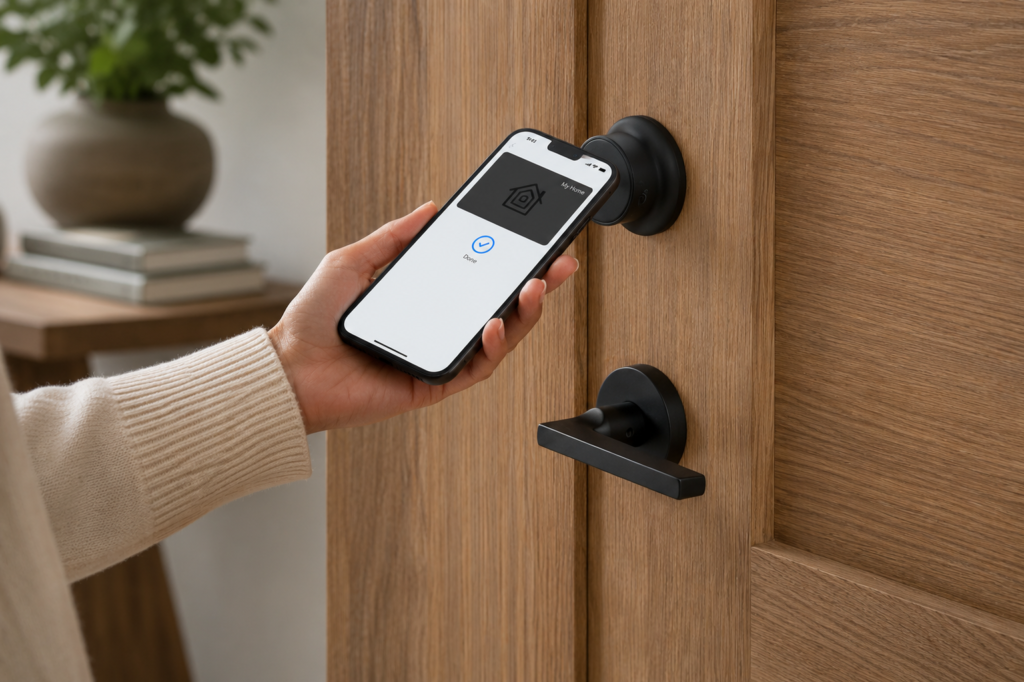
Level Bolt is the best invisible smart lock for renters. It installs entirely inside the deadbolt borehole. Zero visible smart hardware on either side of the door. Level Bolt scores 9 out of 10 on the Lease-Safe Lock Criteria.
Pricing: $195.95 Level Bolt. $329 Level Lock+ (with Apple Home Key support). No required subscription.
Pros for renters: completely invisible smart hardware. Both sides of the door look identical to a standard deadbolt. Preserves landlord master-key access through the original keyway. Apple Home Key compatibility on Level Lock+ for iPhone tap-to-unlock.
Cons for renters: removes the existing deadbolt mechanism for installation. Some leases interpret that as a modification despite full reversibility. Higher entry price than August or Wyze. Smaller smart home ecosystem than Yale or Schlage.
View Lease-Safe Setup →
Wyze Lock: 💰 Budget Pick
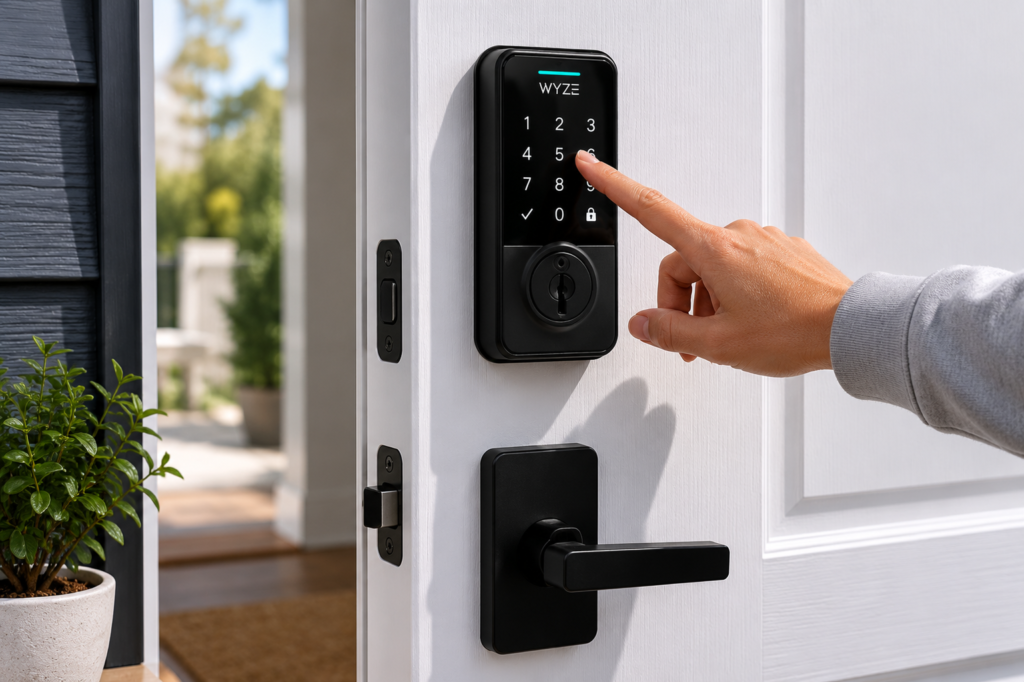
Wyze Lock is the cheapest retrofit smart lock for renters at $123.99. Wi-Fi gateway included. Auto-lock and Alexa integration at less than half the August price. Wyze Lock scores 8 out of 10 on the Lease-Safe Lock Criteria.
Pricing: $123.99 Wyze Lock with Gateway. $149.99 with Gateway and Keypad. No required subscription.
Pros for renters: retrofit installation preserves the exterior. Original landlord key keeps working. Built-in gyroscope detects door open or closed status so the system does not lock against an open door. Lowest entry price for a retrofit. Auto-unlock on approach via Bluetooth.
Cons for renters: requires the small Wyze Gateway plugged into a nearby outlet for Wi-Fi. A documented 2022 security vulnerability disclosure raises privacy considerations. Smaller smart home ecosystem than August or Yale.
Compare Plans →
Schlage Encode: 🚀 Starter Replacement Pick
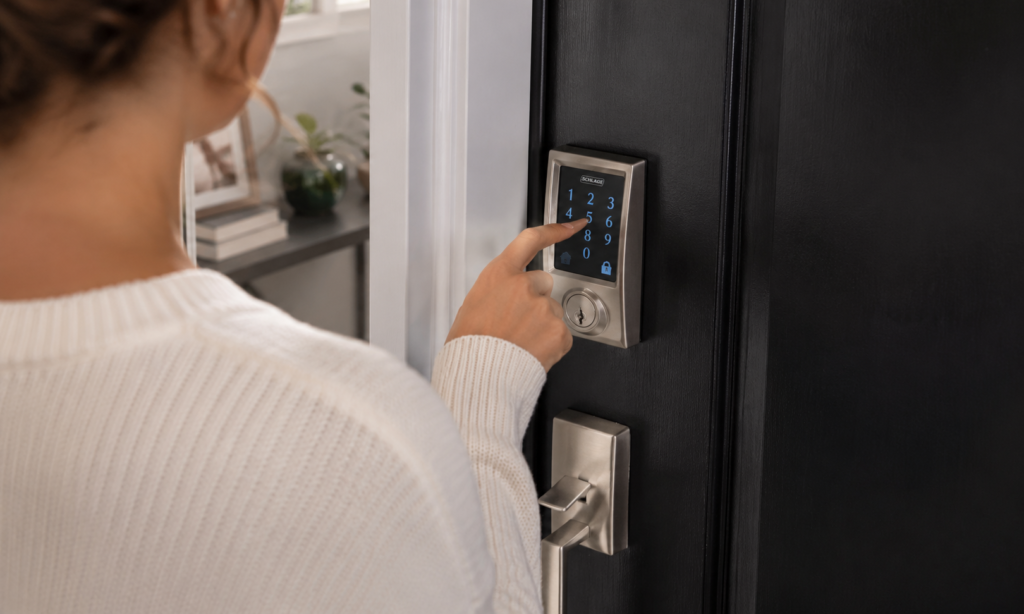
Schlage Encode is the best full-replacement smart lock for renters with documented landlord approval. ANSI Grade 1 commercial-grade security. Built-in Wi-Fi. 100 access codes. Schlage Encode scores 7 out of 10 on the Lease-Safe Lock Criteria due to full-replacement installation.
Pricing: $279 Schlage Encode. $349 Schlage Encode Plus with Apple Home Key. No required subscription.
Pros for renters: ANSI Grade 1 commercial-grade security exceeds standard residential ratings. 100 programmable access codes for roommates and guests. Built-in Wi-Fi without a hub. Apple Home Key compatibility on Encode Plus. Backlit touchscreen keypad works without a phone.
Cons for renters: full deadbolt replacement requires landlord approval. Visible new hardware on the exterior. You save the original deadbolt and reinstall at move-out. Highest entry price in our comparison. Landlord master key stops working during the lease.
Check Today’s Price →
Retrofit vs Replacement Smart Lock: Which Is Right for Your Rental
A retrofit smart lock installs on the interior side of the existing deadbolt. It does not modify the exterior. A replacement smart lock removes the entire deadbolt and installs new hardware on both sides of the door. Retrofit locks rarely need landlord permission. Replacement locks always do.
The four-step retrofit vs replacement decision matrix for renters is:
- Lease language check: leases with “no lock changes” or “no hardware modifications” require retrofit locks only. Leases silent on locks permit either option with landlord notification.
- Landlord relationship: cooperative landlords often approve replacement locks after written notification. Restrictive landlords or property managers usually require retrofit only.
- Move duration: lease durations under 12 months favor retrofit locks. Faster install. Faster reverse. Lease durations over 24 months may justify replacement locks for the daily-use upgrade.
- Access need: single renters and couples are served by retrofit locks (August, Level Bolt, Wyze). Apartments with 3 or more roommates or frequent cleaner and dog-walker access benefit from replacement locks with 100+ access codes (Yale Assure Lock 2, Schlage Encode).
If you go with a replacement lock, save the original deadbolt and screws in a labeled box. Reinstall at move-out. The reinstallation step is non-negotiable for deposit protection.
How to Choose the Right Smart Lock for Your Apartment
The right smart lock for your apartment depends on lease language, deadbolt compatibility, connectivity needs, and access methods. Here is the five-step framework we use.
The five-step decision framework for selecting a renter smart lock is:
- Verify deadbolt compatibility: retrofit locks fit single-cylinder deadbolts only. Mortise locks, double-cylinder deadbolts, and European-style locks are incompatible with most retrofit smart lock models.
- Measure the backset: the backset is the distance from the door edge to the center of the deadbolt bore hole. Standard residential apartments use 2-3/8 inches or 2-3/4 inches. Smart lock compatibility requires matching this measurement.
- Select connectivity type: Wi-Fi smart locks like the August (4th Gen) and Schlage Encode operate without a hub. Bluetooth-only locks like the Wyze Lock require a separate gateway for remote access.
- Decide on access methods: app-only locks suit single renters. Keypad locks work for households with non-smartphone users. Fingerprint locks help roommates track per-person access.
- Confirm smart home ecosystem fit: Apple HomeKit users select August, Level Lock+, or Schlage Encode Plus. Alexa users select August or Yale. Matter compatibility favors Yale Assure Lock 2.
How to Install a Retrofit Smart Lock Without Modifying the Door
A retrofit smart lock installs in under 10 minutes. One screwdriver. No drilling. The original deadbolt screws. We have done this install three times across different apartments. The steps below work for the August Wi-Fi Smart Lock, Wyze Lock, and Level Bolt.
The five-step retrofit smart lock installation process is:
- Photograph the existing thumbturn: take clear photos of the interior deadbolt thumbturn from three angles before any disassembly. You need a reference for move-out reversal.
- Remove the original thumbturn: unscrew the two mounting screws holding the interior thumbturn. Save the thumbturn, screws, and any small plates in a labeled box.
- Mount the smart lock base plate: align the base plate over the deadbolt opening on the interior side. Secure with the two original screws or the screws included with the smart lock.
- Attach the smart lock motor unit: clip or rotate the motor unit onto the base plate per the manufacturer’s instructions. The unit covers the deadbolt mechanism entirely from the interior side.
- Calibrate through the app: open the manufacturer’s app. Follow the calibration steps to identify locked and unlocked positions. Test the smart lock five times to confirm reliable operation.
How to Reverse a Retrofit Smart Lock at Move-Out
We have removed retrofit smart locks three times. The procedure protects your deposit every time.
The move-out removal procedure for a renter smart lock is:
- Remove the smart lock motor unit from the base plate using the manufacturer’s release mechanism
- Unscrew the smart lock base plate from the deadbolt opening on the interior side
- Reinstall the original thumbturn using the saved screws from your labeled box
- Test the original deadbolt by locking and unlocking five times with the original key before move-out inspection.
Mistakes Renters Make When Buying a Smart Lock
We have seen renters lose deposits on six common smart lock mistakes. Avoid these.
The six mistakes renters make when buying smart locks are:
- Replacing the deadbolt without landlord permission (forfeits your deposit and may violate “lock change” lease clauses)
- Discarding the original thumbturn after retrofit installation (prevents move-out reversal and damages your deposit return)
- Buying smart locks incompatible with mortise or double-cylinder deadbolts (most retrofits fit single-cylinder deadbolts only)
- Skipping the backset measurement before purchase (incompatible backsets trigger return fees)
- Changing the deadbolt without informing roommates or building management (locks out emergency access and triggers lease violations)
- Forgetting to remove the smart lock before move-out walkthrough (creates inspection disputes and delays deposit return).
The average security deposit ranges from $1,000 to $1,500. One improper lock replacement costs more than the entire August Wi-Fi Smart Lock.
When to Notify the Landlord About a Smart Lock
Send a written notice to your landlord before installing any replacement smart lock. Send one for any retrofit lock if your lease has “lock change” or “hardware modification” clauses. A written notice creates a paper trail that protects your deposit at move-out.
Send a written notice to your landlord when: the smart lock fully replaces the existing deadbolt (Yale Assure Lock 2, Schlage Encode); the lease contains explicit “no lock changes” or “no hardware modification” clauses; the apartment is part of a homeowner association with separate rules; or the building has electronic access integration. Our Landlord Permission Letter template gives you the exact language for requesting smart lock approval. It is available alongside our other renter security resources.
For full system-level security coordination, our Best Home Security System for Renters guide covers the alarm and sensor integration that pairs with smart lock installation.
Roommates and Shared Access: How Smart Locks Handle Multi-User Apartments
Smart locks for renters with roommates support multi-user access through programmable PIN codes, virtual keys, and audit logs. A multi-roommate apartment benefits from a lock with at least 10 codes. The Yale Assure Lock 2 (250 codes) and Schlage Encode (100 codes) lead the multi-user category.
The three multi-user access methods for renter smart locks are:
- Programmable PIN codes assigned to each roommate, cleaner, or guest with revocation through the app
- Virtual keys sent to roommates’ smartphones for time-limited or permanent access through the August or Yale app
- Audit logs showing every entry by date, time, and user. Audit logs give you accountability for shared apartments and tracking for landlord-permitted maintenance visits.
We tell every roommate household to document access codes in writing. Note the date each code is issued. Note the date each code is revoked at lease end. The written log saves arguments at deposit return.
The Best Smart Lock for Renters in 2026
The August Wi-Fi Smart Lock (4th Gen) is the best smart lock for renters in 2026. We tested every lock on this list. The August scored a perfect 10 out of 10 on our Lease-Safe Lock Criteria. Retrofit installation. Exterior preservation. Original key compatibility. Full reversibility.
Here is how we would choose by reader type:
- Roommates and multi-user access? Pick Yale Assure Lock 2.
- Completely invisible smart hardware? Pick Level Bolt.
- Tightest budget? Pick Wyze Lock.
- Documented landlord approval and want commercial-grade security? Pick Schlage Encode.
- Everyone else? Pick August Wi-Fi Smart Lock.
Every lock in our top five either preserves the original deadbolt entirely or operates with documented landlord permission and full reversal at move-out. That is the bar. These five clear it.
Frequently Asked Questions
Yes. Renters install a retrofit smart lock in an apartment without landlord permission in most cases. Retrofit locks like the August Wi-Fi Smart Lock, Wyze Lock, and Level Bolt install on the interior side of the deadbolt. Replacement locks like the Yale Assure Lock 2 and Schlage Encode require landlord approval.
Retrofit smart locks rarely require landlord permission. Replacement smart locks always require landlord notification and often need written approval. The defining factor is the installation type.
A retrofit smart lock installs on the interior side of the existing deadbolt without modifying the exterior. A replacement smart lock removes the existing deadbolt entirely and installs new hardware on both sides. Retrofit locks preserve the landlord’s master-key access. Replacement locks do not.
Yes, with a retrofit smart lock. The exterior keyway stays unchanged. Replacement smart locks remove the original keyway. The landlord uses a shared access code or your app for emergency access during the lease.
The Wyze Lock is the cheapest retrofit smart lock for renters at $123.99. That price includes the Wi-Fi Gateway for remote access. Wyze Lock keeps the exterior hardware. The landlord master key still works.
Smart locks for renters handle roommates and guests through programmable PIN codes, virtual keys, and audit logs. The Yale Assure Lock 2 supports up to 250 codes. Roommate-heavy apartments benefit from locks with at least 10 codes and full audit log support.
Renters remove a retrofit smart lock at move-out by unscrewing the smart lock unit, reinstalling the original thumbturn with the saved screws, and testing the original deadbolt with the original key. The procedure requires photos of the original hardware taken before installation and the saved thumbturn from a labeled box.
Related Resources
- Best Home Security System for Renters: 5 Lease-Safe Picks
- Best Security Cameras for Renters: 5 No-Drill Picks for Apartments
Safe Rental Living is built for renters. Every smart lock is tested against lease-safe criteria in real rental apartments. We help renters secure apartments, condos, and rental homes without violating lease agreements or risking the deposit.
See All Lease-Safe Security Picks →